How to Backup EC2 EBS Volume
2020/04/011 min read
bookmark this
Table of Contents
- Introduction
- Create a Snapshot from EC2 EBS Volume
- Create Snapshot
- Create an Image from Snapshot
- Conclusion
Introduction
This blog shows how to back up an EC2 instance and create another instance in the same region or a different region.
Create a Snapshot from EC2 EBS Volume
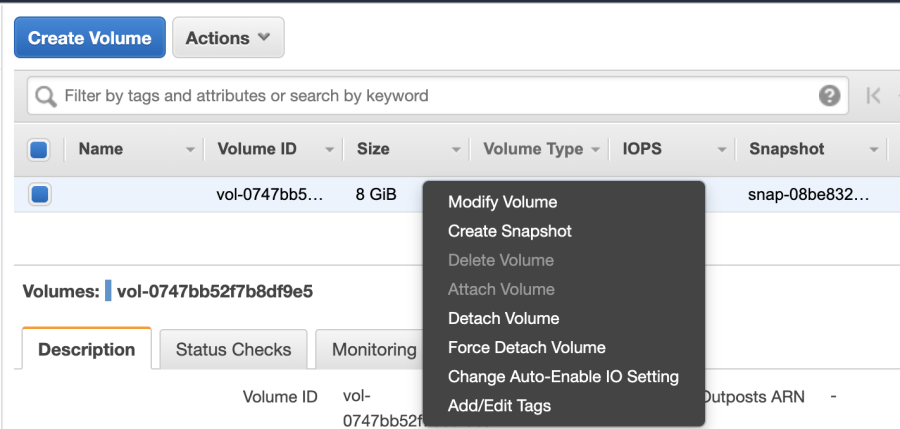
Create Snapshot
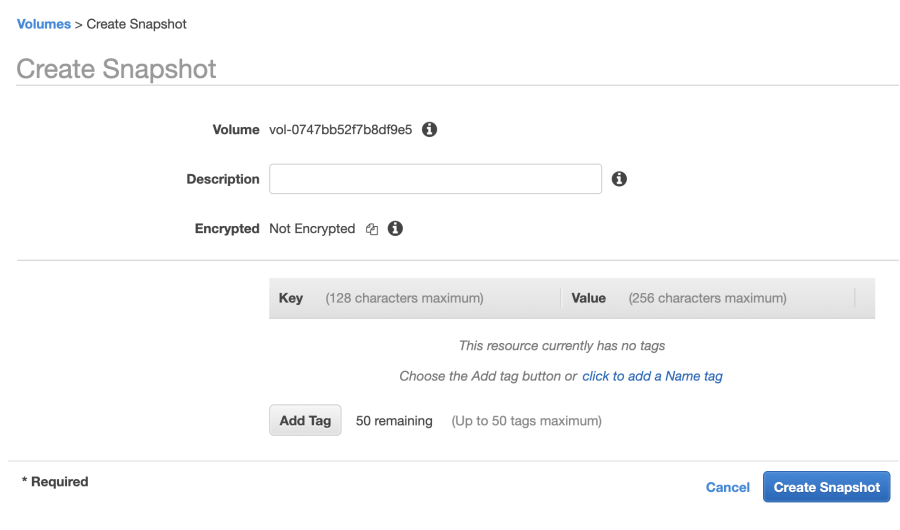
Once the snapshot is complete, you should be able to check it from the dashboard.

Create an Image from Snapshot
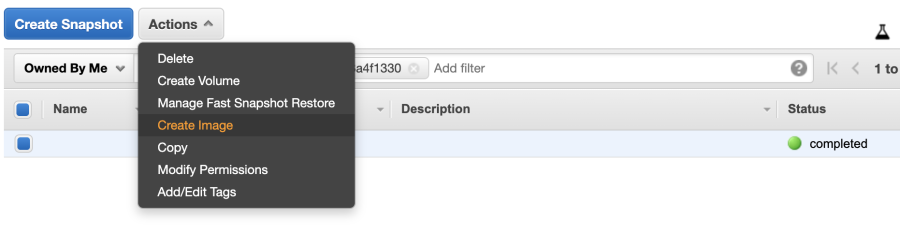
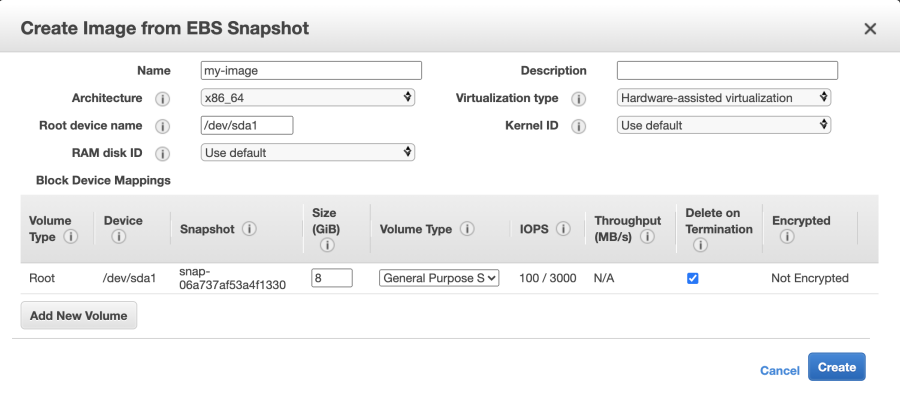
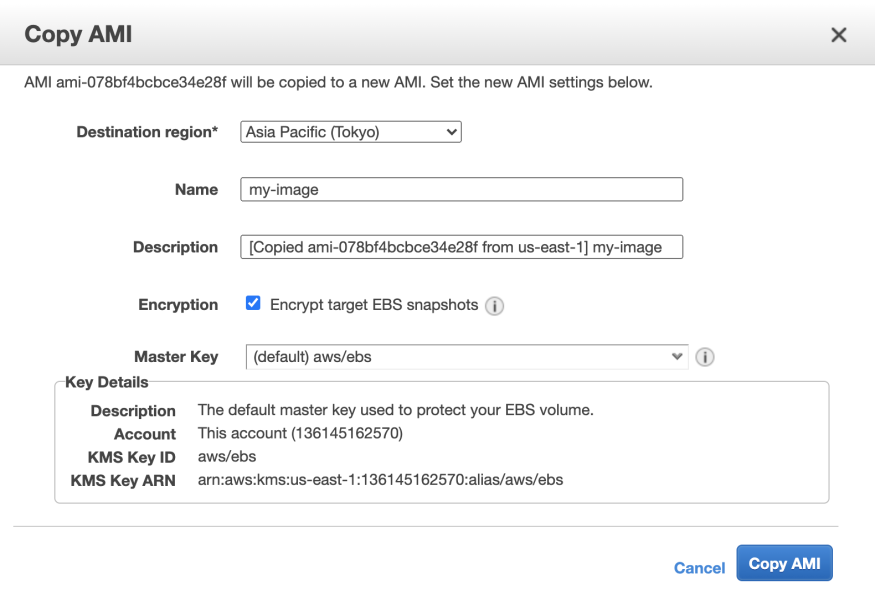
Once you create an image, you can launch an EC2 instance from it in the current region. If you want to deploy the image to a different region, you can copy the image to that region and then create an instance there.
Conclusion
Backing up an EC2 EBS volume by creating a snapshot and then an image is a reliable way to protect your data. You can also use this process to replicate instances across different AWS regions.