Create AWS Classic Load Balancer
2020/03/042 min read
bookmark this
Table of Contents
Introduction
This blog shows how to use an AWS Classic Load Balancer from scratch. First, we need to do some preparation. At the end of the setup, you'll have 2 EC2 instances with a public subnet behind the load balancer.
Prerequisites
The following is a list of preparations before setting up the Classic Load Balancer:
- Create a VPC
- Create 2 Public Subnets
- Create an Internet Gateway
- Create a Route Table
- Create 2 EC2 Instances
Create AWS Classic Load Balancer
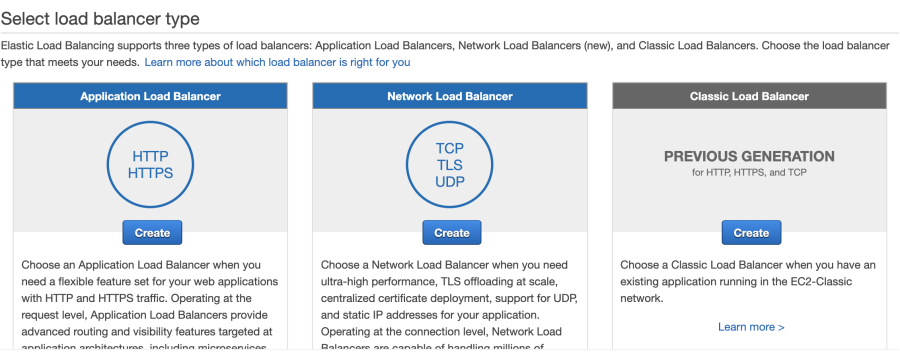
Choose Classic Load Balancer
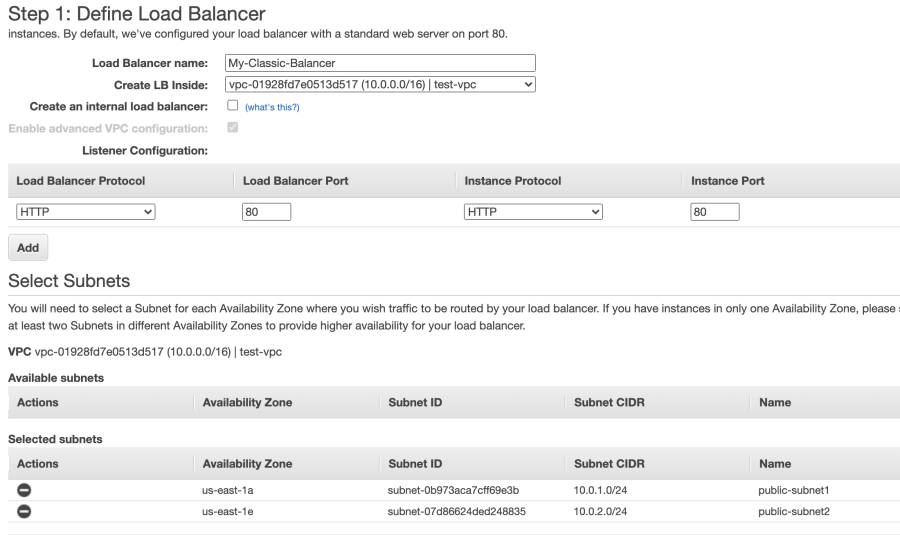
Define Load Balancer
Assign Security Groups
Configure Health Check
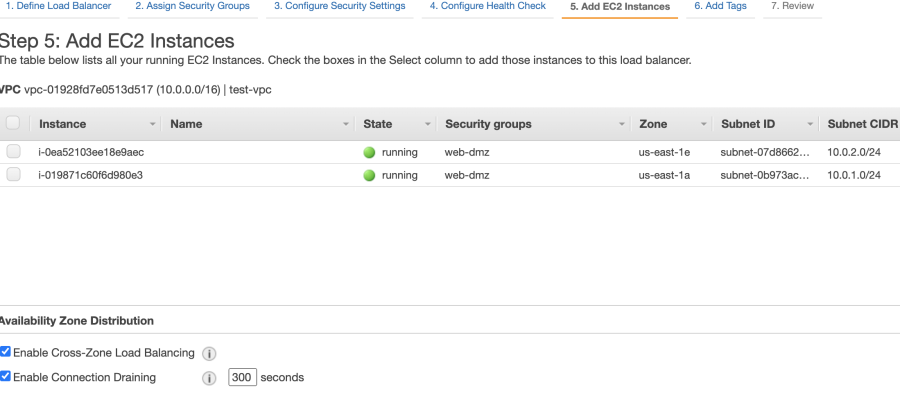
Add EC2 Instances
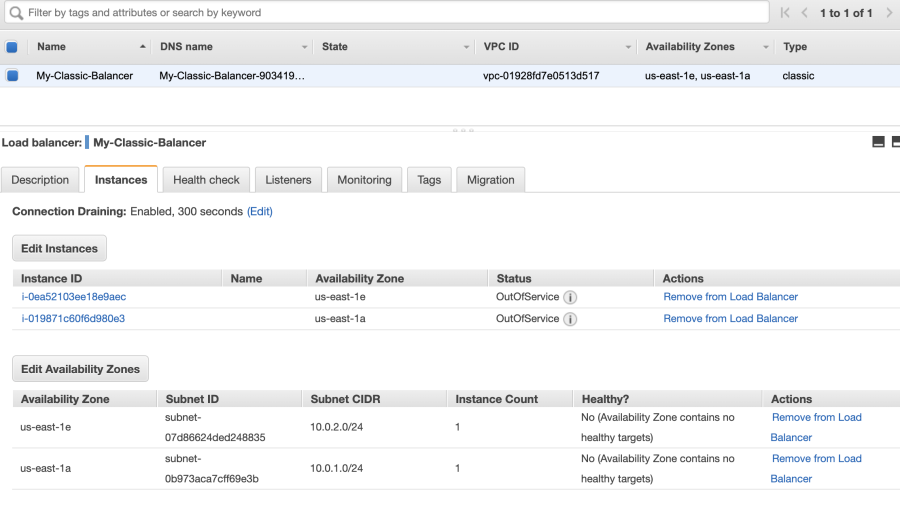
Done with Creating Classic Load Balancer
Conclusion
By following these steps, you can set up an AWS Classic Load Balancer to distribute traffic across multiple EC2 instances. Make sure to properly configure health checks and security groups to ensure reliable and secure load balancing.