Getting Started with PhoneGap to Build Mobile Apps
Table of Contents
Introduction
This blog is a quick start guide or memo if you are thinking about building mobile or tablet apps with PhoneGap.
Why PhoneGap?
The main reason is that my app will consume existing APIs which are used by other web applications, so if I could continue using the same technology stack—APIs, CSS, HTML, and JavaScript—that would be awesome. That's why I encountered PhoneGap. PhoneGap has limited access to native app APIs, but most of those are things I don't need. Building natively would provide better performance, but that's not something I need either.
Also, comparing with Xamarin, which is C#-based and supports iOS, Android, and Windows, it doesn't fit my scenario. Titanium is another platform that supports Android, iOS, and Blackberry and uses HTML, CSS, and JavaScript. I didn't want to build natively either, as it's not suitable for my needs—spending huge amounts of time learning each app store's language and building separately.
Getting Started with PhoneGap
- First, you will need to go to the PhoneGap site to download the desktop app. You will use this app for development and also use your mobile app to verify your code later.

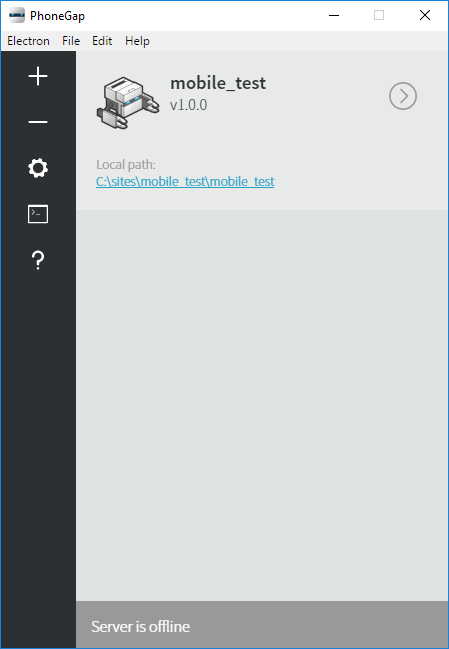
- This is the desktop app on my Windows 10. You can create your first hello project using this UI interface.
- It is better to install PhoneGap via npm as well, because if your mobile app is not able to connect to the desktop app, you could still use the npm command to start your PhoneGap project and then reconnect to it from your app.
If you want to start your PhoneGap project from the npm command, go to the PhoneGap project's root directory and run the following command to start:
phonegap serve

Write simple "Hello World" code with the existing template:

The above steps are all done on your development machine. In my scenario, I used Windows 10.
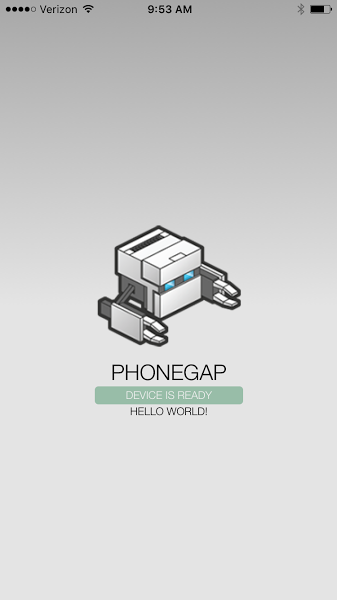
Next, download the PhoneGap Developer app on your mobile device and point it to your desktop app's URL.
After that, you can view your development code from your device.
References
Research Works
-
Compare building mobile apps using HTML5, PhoneGap, Titanium, Xamarin, or Native by platform support, language, open source, access to device API, native performance, cost for each app store, developer learning time, and platform cost.
-
What list of platforms can PhoneGap deploy to?
-
How to deploy a PhoneGap app?
Conclusion
PhoneGap is a great option for developers who want to build mobile apps using familiar web technologies like HTML, CSS, and JavaScript. It allows you to reuse existing web APIs and quickly prototype mobile applications without learning native development languages for each platform.