How to do S3 Cross Region Replication

Table of Contents
- Introduction
- Create the Target S3 Bucket
- Configure S3 Replication
- Review and Save
- Important Notes
- Conclusion
Introduction
This blog shows how to use S3 replication within your current AWS account.
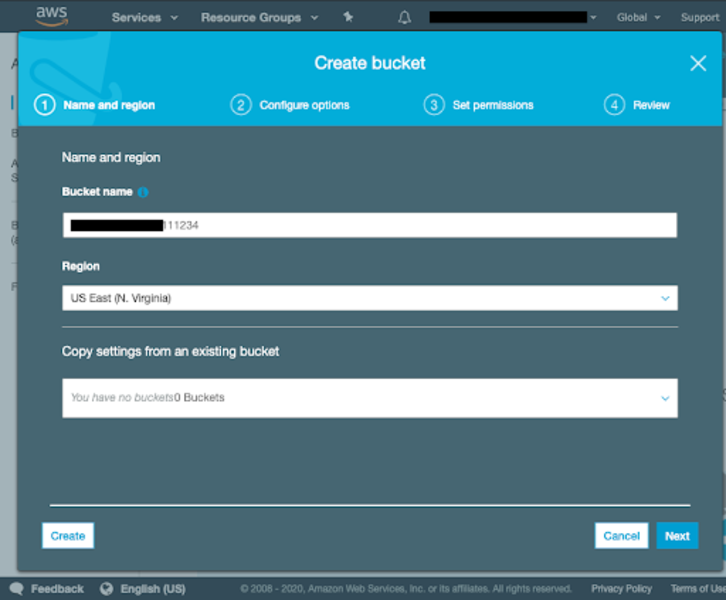
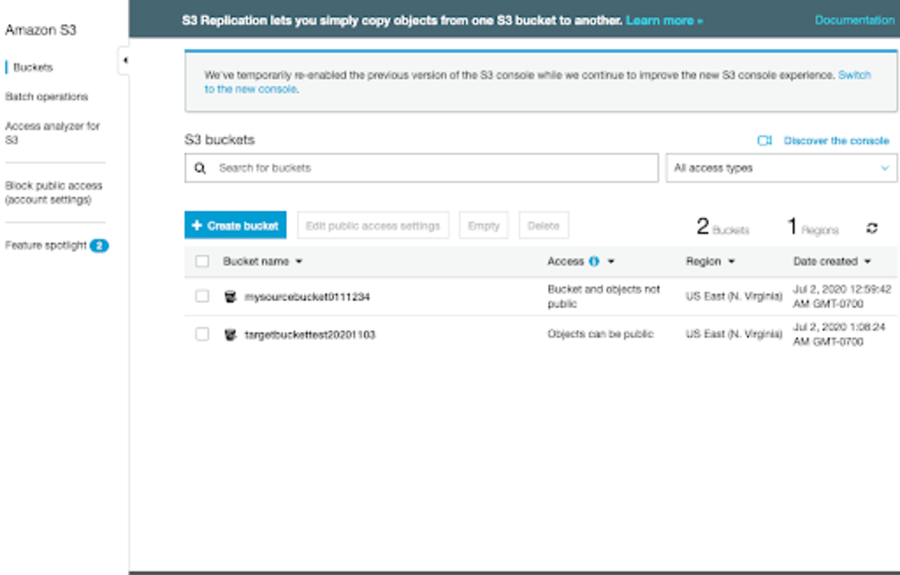
Before starting S3 cross-region or same-region replication, make sure the target S3 bucket is ready. If you don't have a bucket, create a new bucket as described below.
You can use S3 replication for many purposes. For example, you can replicate S3 objects to different regions with different storage classes.
Create the Target S3 Bucket
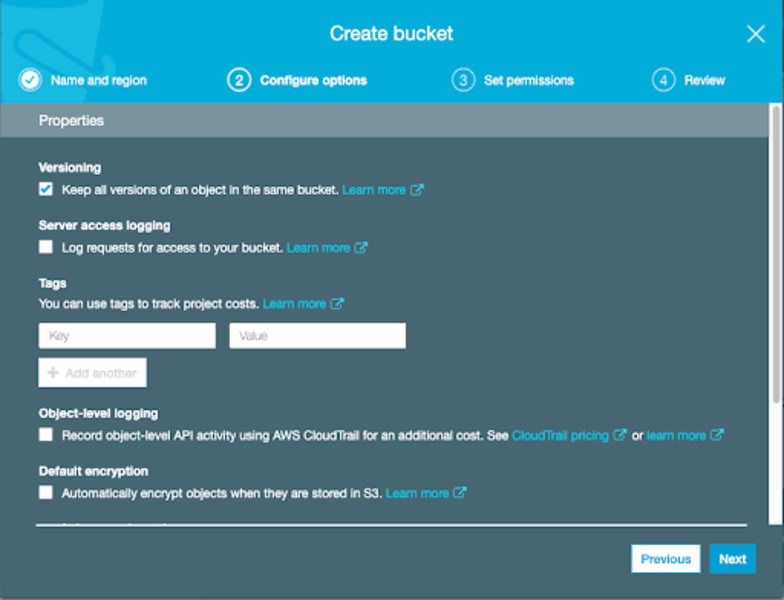
Make sure S3 versioning is enabled because S3 replication requires versioning.
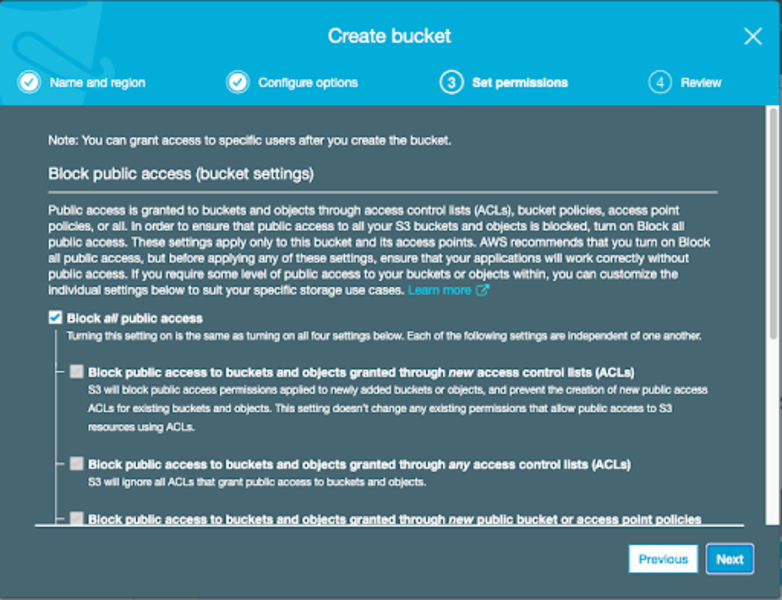
Create the S3 bucket.
Configure S3 Replication
For demo purposes, I have created an S3 bucket containing one file as shown below.
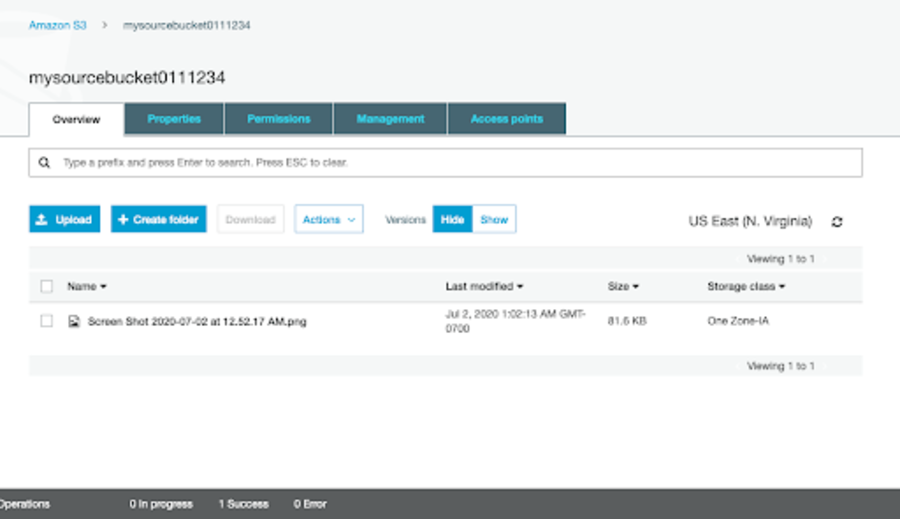
Click Management and click the replication option.
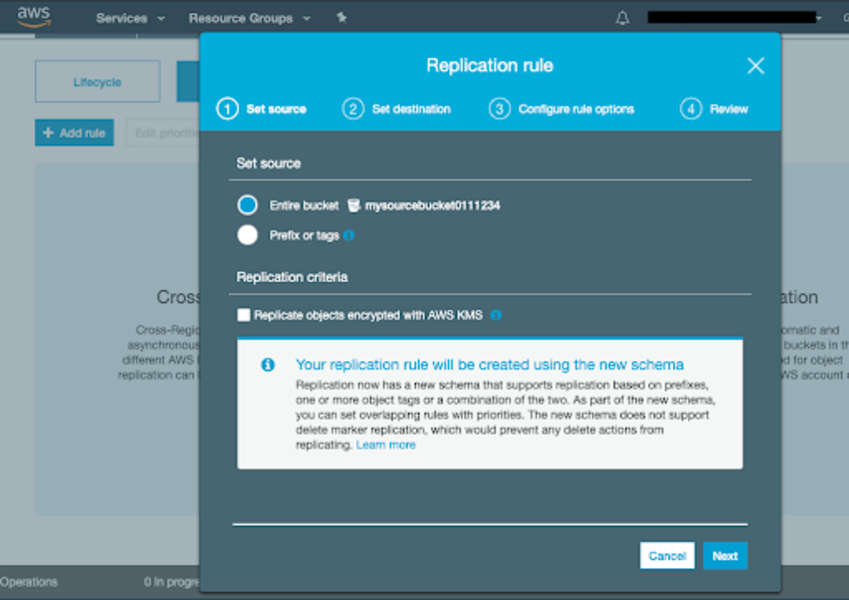
Choose the Replication rule and select the source bucket. Also, choose the target region.
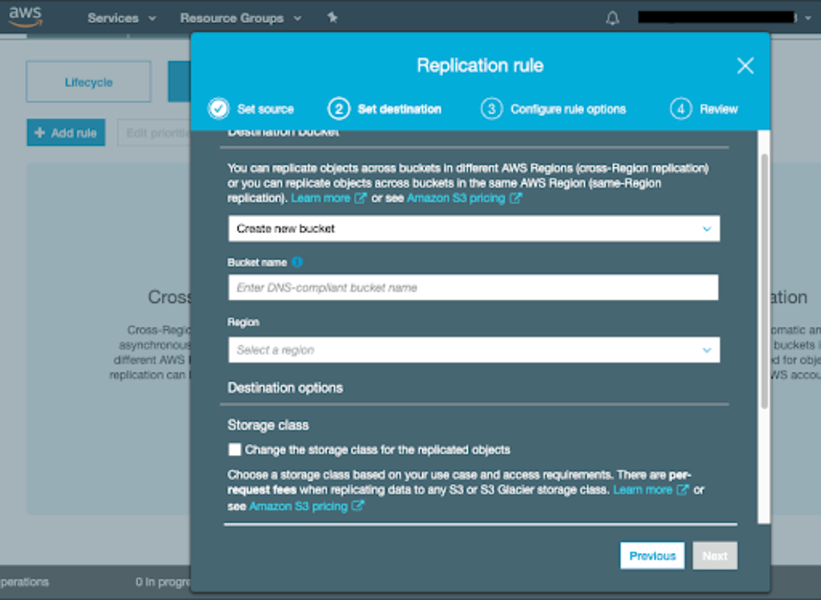
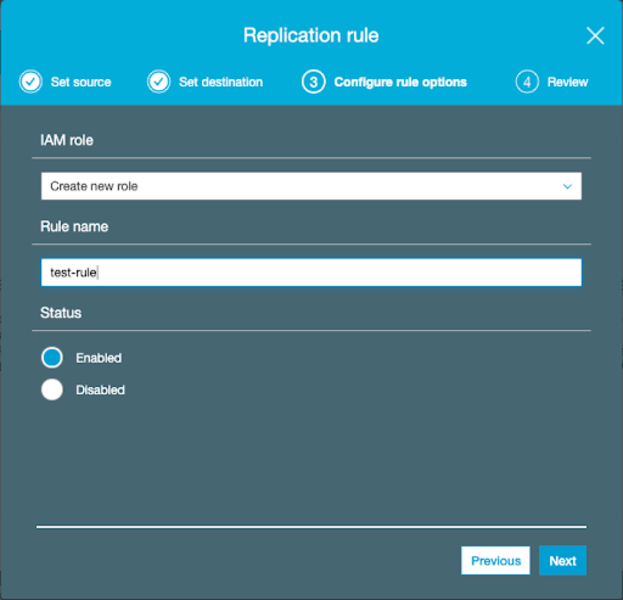
Create an IAM role.
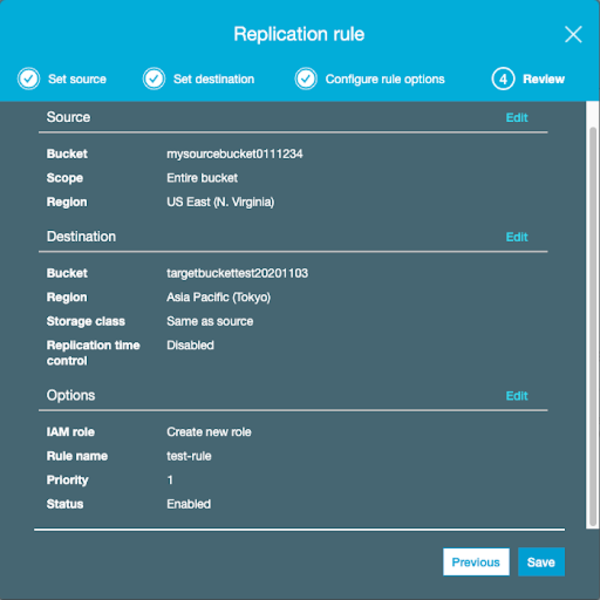
Review and Save
Review the replication rule. If everything looks good, click Save.
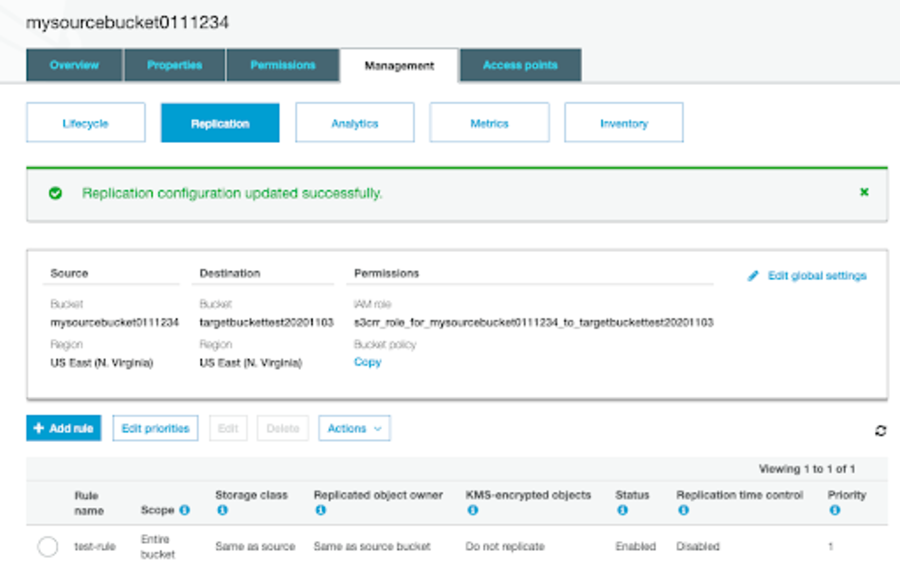
You should see the "Replication configuration updated successfully" message. Now you are ready to replicate S3.
Important Notes
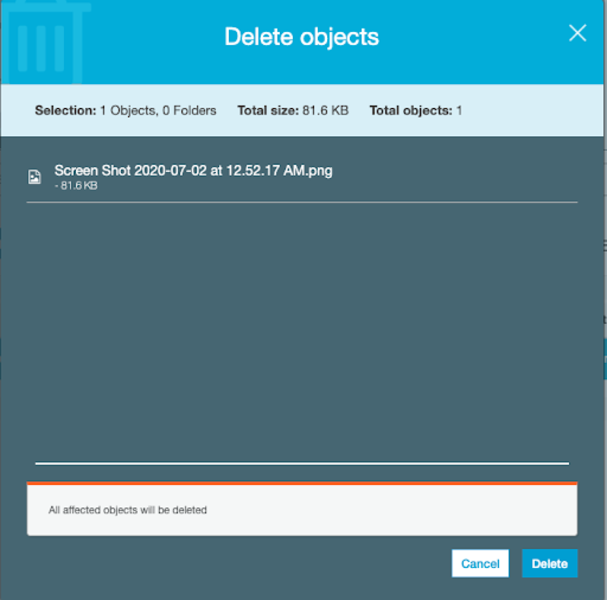
A few things to notice: deleting from the source bucket won't affect the target bucket. However, adding to the source bucket will replicate to the target bucket.
Conclusion
In this blog, we walked through setting up S3 cross-region replication within an AWS account. Key points to remember are: ensure versioning is enabled on both buckets, create the appropriate IAM role, and note that deletions are not replicated by default. S3 replication is useful for disaster recovery, compliance, and reducing latency for geographically distributed users.